

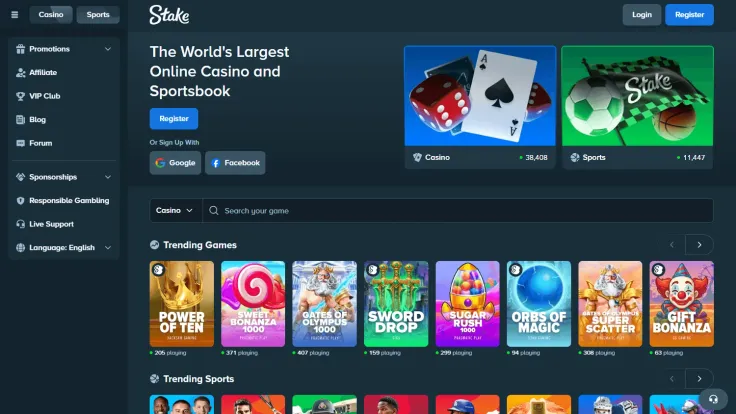
Stake Casino has no iPhone app, so there is nothing to find in the App Store and no app to install. On an iPhone you play through the mobile site in your browser. The steps above show how to open it, and this page covers what to expect and what to watch for.
What the mobile site means on iPhone

The mobile site is the only phone version of Stake Casino. It opens like any website, so it takes no storage space for an app and does not need updating through a store. The table above shows it as the one option on phones, with no iOS app and no Android app.
What the mobile site shows and how it compares with the desktop version is not something to assume. Open it and look at what your iPhone displays before you rely on a particular feature. The mobile version page explains the browser version in more detail.
The steps above include an option to add the site to your home screen. That gives you a shortcut to the same website, which is not the same thing as an app.
No app to install

Because there is no iPhone app, there is no install step. Nothing needs to be downloaded from the App Store. Treat any app that carries the Stake Casino name with suspicion, and never install a profile, an app or a file from a source you do not know, whatever it claims to be.
If you use an Android phone as well, the Android page explains the same situation there. Both phone types use the mobile site. The same applies to an iPad: there is no app for it either.
If you have not yet opened an account, the sign-up page covers that step, and the login page covers coming back to an account. The welcome bonus page covers the offer for new players.
Practical points on an iPhone

A phone is easy to lose and easy to share. Set a passcode, do not save your password on a phone that other people use, and do not hand over your iPhone while you are logged in. Log out when you finish, close the tab and clear any saved form entries if the phone is shared, so nobody else can reach your account from the browser.
Check the web address in your browser before you enter your details, particularly if you reached the site through a message or a link you do not recognise. Keep your iPhone's system and browser up to date, because the browser is the only way into Stake Casino on an iPhone, and an outdated one is the weak point.
Mobile data is used the same way as for any website, and the mobile site needs a working connection to open. If your plan is limited, a Wi-Fi connection you trust is a better choice than a public network, where other people on the network can see more than you expect.
If the account offers deposit limits or time-outs, set them before you play. Phone sessions are easy to extend without noticing, and a limit set in advance does the counting for you.