

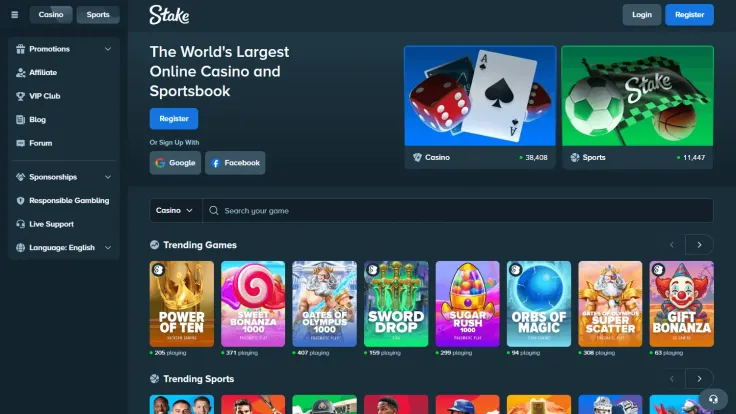
Stake Casino mobile means the mobile site: you open Stake Casino in your phone's browser and play there. There is no iPhone app and no Android app, so the browser is the only way to reach Stake Casino on a phone. The live casino is part of the range, and the mobile site is built for a phone screen. A short guide to the phone-specific points follows, with the steps to get started shown above.
If you want to see how the app pages compare, the app overview covers all platforms in one place.
What you get on a phone

On a phone you play in a browser tab instead of a program on your device. Whatever your phone, the approach is the same: open the browser, go to Stake Casino, and log in. If you do not have an account yet, the sign up page walks through creating one, and the login page covers returning to an existing account.
A phone screen is smaller than a computer monitor, and that affects how you read things. Game rules, paytables and terms take more scrolling, so give them the time they need before you start a game. Reading a paytable on a small screen is still worth doing: it tells you how a game pays, which features it has and what the stakes are.
Live casino is part of Stake Casino's range, and live games stream video, so they use more mobile data than a slot or a table game with simple graphics. Check the table limits and the rules shown for a live game before you take a seat. Hold the phone in the orientation that lets you see the whole game screen, so you do not miss a button or a message on the table.
Some things are not worth expecting. There is no separate phone-only catalogue described for Stake Casino, and nothing in the mobile version replaces reading the terms of an offer. Whatever you see on a phone, the rules of each game and each bonus stay the same as anywhere else.
No app to install

Stake Casino has no iPhone app and no Android app, so there is nothing to find in the App Store or Google Play. If you see a listing or a download link that claims to be a Stake Casino app, do not install it. Never install apps or files from unknown sources: they can carry malware and they are not tied to your account in any way you can trust. If you want to read more about the situation on each platform, the iPhone app and Android app pages explain it.
What you do have is the mobile site. It opens in the same browser you already use for everything else, so the first visit needs no setup. The steps above show how to open it and how to add a shortcut to your home screen for one-tap access. That shortcut is simply a link to the site on your screen; it is not an app and does not behave like one.
Because the casino runs in a browser, keep that browser up to date. Updates fix security problems, and an old browser is an easy target. Use the browser's own address bar to check that you are on the right site before you enter a password. A link in a message is not a reason to log in: type the address yourself or use the shortcut you made.
If a page loads slowly or looks broken, closing the tab and opening it again is a sensible first step. Switching between Wi-Fi and mobile data can also help if one connection is weak. Leave a game round to finish before you close anything, so you do not interrupt it.
Practical points for playing on a phone
A phone is easy to lose and easy to pick up, so treat it as part of your account security. Set a passcode or fingerprint or face lock, and do not leave the Stake Casino tab open on a phone that others can pick up. Log out when you finish, especially on a shared or borrowed device. Do not let the browser save a password on a phone you share.
Mobile data is worth watching. Live games use video, and a long session can use a noticeable amount of your plan. If your plan has a limit, Wi-Fi at home is the cheaper choice. Public Wi-Fi in cafes, stations or airports is a poor place to log in to any account, because other people share that network. A mobile connection is safer for that.
Notifications and messages can make a phone distracting. You choose when to play, so mute alerts for the browser while you are in a game and turn them back on when you finish. Play when you can give the screen your attention, not while you are doing something else or travelling.
Check whether your Stake Casino account offers deposit limits, time-outs or reality checks, and set them before you start if it does. Those tools are controlled in the account itself, and they work the same way whether you play on a phone or a computer. Treat gambling as entertainment that costs money, and stop when you reach the limit you set. The safer gambling page explains the tools in more detail.